
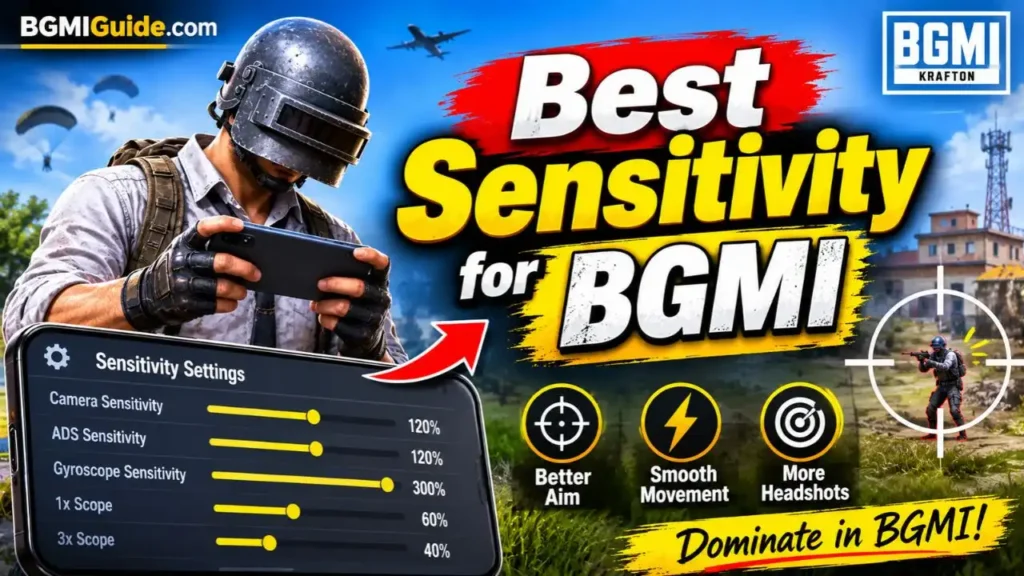
The best sensitivity for BGMI depends on your device, FPS, control layout, and whether you use the gyroscope. A balanced setup can improve aim tracking, close-range fights, and recoil control, but no sensitivity setting can completely eliminate weapon recoil for every player.
In our last article, we discussed how to fix lag in BGMI and improve gameplay performance. Today, we will explore the best BGMI sensitivity settings for 2026, including Camera, ADS, Gyroscope, and No-Gyroscope settings to help you improve your aim and recoil control.
Best Sensitivity Settings for BGMI (2026)
The following settings are a balanced starting profile for players who want better aim, smoother movement, and more consistent sprays. Values are recommendations, not official settings or guaranteed results.
1. Best Camera Sensitivity for BGMI
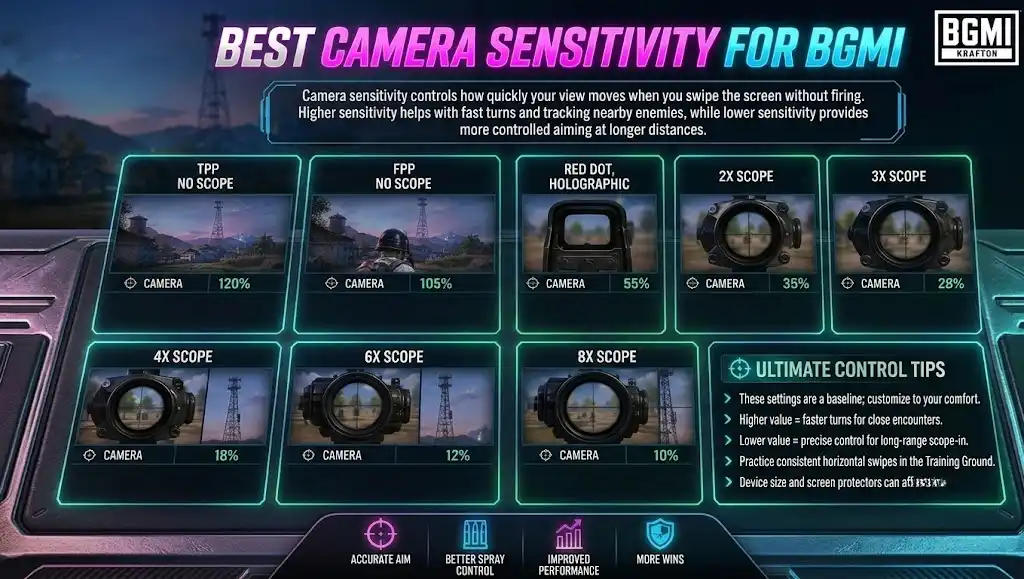
Camera sensitivity controls how quickly your view moves when you swipe the screen without firing. Higher sensitivity helps with fast turns and tracking nearby enemies, while lower sensitivity provides more controlled aiming at longer distances.
| Camera setting | Recommended sensitivity |
| TPP No Scope | 120% |
| FPP No Scope | 105% |
| Red Dot, Holographic | 55% |
| 2x Scope | 35% |
| 3x Scope | 28% |
| 4x Scope | 18% |
| 6x Scope | 12% |
| 8x Scope | 10% |
These values follow the general pattern shared by several sensitivity guides: higher sensitivity for no-scope movement and lower sensitivity for high-magnification scopes.
2. Best ADS Sensitivity for BGMI
ADS stands for Aim Down Sight. ADS sensitivity determines how quickly your aim responds to finger movement while firing. It is particularly important for controlling automatic weapons such as the M416, AUG, and AKM.
| ADS setting | Recommended sensitivity |
| TPP No Scope | 120% |
| FPP No Scope | 105% |
| Red Dot, Holographic | 58% |
| 2x Scope | 38% |
| 3x Scope | 30% |
| 4x Scope | 20% |
| 6x Scope | 14% |
| 8x Scope | 10% |
If your bullets climb above the target during a spray, test a slightly higher ADS value or improve your downward finger drag. If your aim moves too far down, reduce the value. Adjust in small increments rather than changing the entire table at once.
3. Best Gyroscope Sensitivity for BGMI

Gyroscope sensitivity allows you to control your aim by tilting your phone. It can make recoil control easier because you can make small adjustments with your wrists instead of relying entirely on your thumbs.
| Gyroscope setting | Recommended sensitivity |
| TPP No Scope | 350% |
| FPP No Scope | 350% |
| Red Dot, Holographic | 350% |
| 2x Scope | 320% |
| 3x Scope | 280% |
| 4x Scope | 240% |
| 6x Scope | 130% |
| 8x Scope | 85% |
These settings provide a high-sensitivity starting point for gyro players, with lower values for powerful scopes to help prevent excessive movement. Published recommendations vary considerably, so your ideal values may be different.
If you are new to gyro, begin with Scope On mode if that feels more comfortable. Once you become familiar with tilting to control recoil, try Always On mode to improve your tracking and close-range reactions.
4. Best ADS Gyroscope Sensitivity for BGMI
ADS Gyroscope Sensitivity controls how strongly the gyroscope responds while you are firing. It is especially useful for maintaining your aim during M416 sprays and controlling recoil with magnified scopes.
| ADS Gyroscope setting | Recommended sensitivity |
| TPP No Scope | 350% |
| FPP No Scope | 350% |
| Red Dot, Holographic | 350% |
| 2x Scope | 320% |
| 3x Scope | 280% |
| 4x Scope | 240% |
| 6x Scope | 130% |
| 8x Scope | 85% |
Use these numbers as a baseline rather than assuming they will work perfectly with every phone. If your aim shakes while spraying, reduce the relevant scope’s sensitivity slightly. If the recoil climbs too quickly, test a small increase and practise controlling the spray.
5. Best BGMI Sensitivity for No-Gyro Players
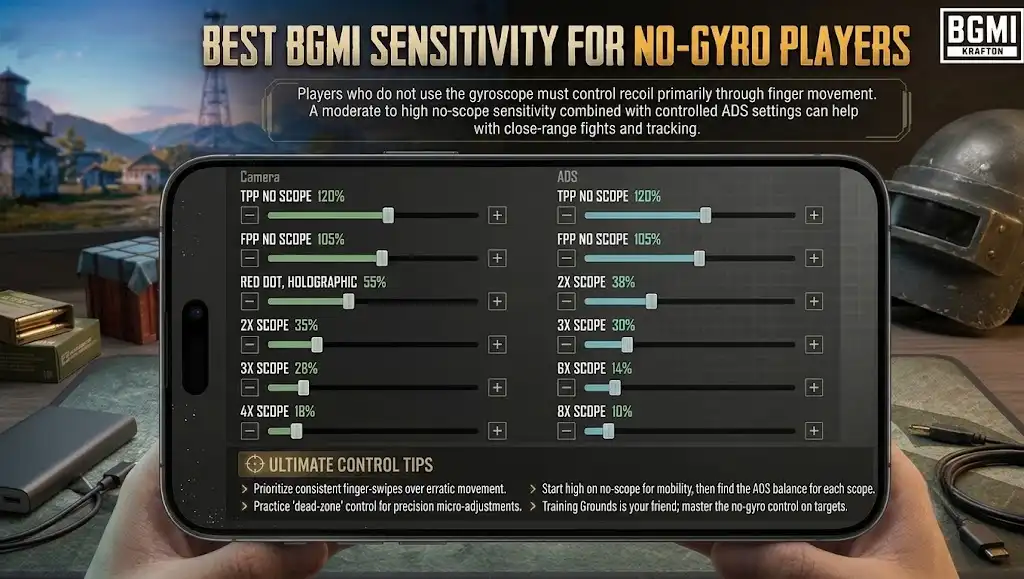
Players who do not use the gyroscope must control recoil primarily through finger movement. A moderate-to-high no-scope sensitivity combined with controlled ADS settings can help with close-range fights and tracking.
| Setting | Camera | ADS |
| TPP No Scope | 120% | 120% |
| FPP No Scope | 105% | 105% |
| Red Dot, Holographic | 55% | 58% |
| 2x Scope | 35% | 38% |
| 3x Scope | 28% | 30% |
| 4x Scope | 18% | 20% |
| 6x Scope | 12% | 14% |
| 8x Scope | 10% | 10% |
These are balanced starter values rather than a universal competitive preset. Some no-gyro guides recommend higher camera and ADS values, particularly for players who use a four-finger layout or make fast, long swipes.
Best BGMI Sensitivity Codes for 2026
Sensitivity codes let you import another player’s settings instead of manually entering every value. BlueStacks lists the following codes for gyro and non-gyro profiles.
| Profile | Sensitivity code |
| Gyroscope | 7307-1085-6780-4282-435 |
| Gyroscope | 7238-4245-4286-7096-036 |
| Gyroscope | 7238-4924-1948-2049-112 |
| Non-gyroscope | 6983-8762-7023-5848-120 |
| Non-gyroscope | 7120-0643-8249-5640-805 |
These are publicly shared codes, not verified guarantees of compatibility with the current game version. Availability and validity may change, so check whether a code imports successfully before using it in a ranked match.
How to Apply a Sensitivity Code in BGMI
- Open BGMI and enter the lobby.
- Open Settings and select the Sensitivity section.
- Find the sensitivity code import option, often under Cloud Management or Search Method.
- Enter the complete code and tap Search.
- Preview the imported settings and select Apply if the option is available.
- Enter Training Ground and test your aim before playing ranked matches.
The exact menu labels may vary between game versions. If a code fails, enter the settings manually using the tables above.
How to Find the Best Sensitivity for Your Phone
The same sensitivity can feel different on a budget Android phone, a high-refresh-rate gaming phone and an iPhone. Screen size, touch response, FPS, grip and finger layout all affect aiming.
Follow these steps to find a setup that suits you:
- Start with the recommended settings: Choose either the gyro or non-gyro profile and keep a record of your original values.
- Practise with the M416: Fire at a stationary target using a Red Dot and then a 3x scope.
- Test recoil control: Observe whether your spray climbs, drops or moves excessively from side to side.
- Change one value at a time: Adjust the relevant sensitivity by around 3–5 percentage points and repeat the test.
- Test different distances: Practise close-range tracking, mid-range sprays and long-range tapping.
- Keep the settings consistent: Avoid changing your sensitivity after every bad match. Give each adjustment enough practice time.
Also prioritise a stable frame rate. If your phone struggles to maintain smooth gameplay, sensitivity adjustments alone will not solve every aiming problem.
Final Verdict
The best sensitivity for BGMI is the one that makes your aim predictable and your recoil manageable. Start with the recommended Camera, ADS and Gyroscope values, test them in Training Ground, and make small adjustments based on your performance. If you use gyro, focus on controlling Red Dot, 3x and 4x sprays. If you play without gyro, concentrate on ADS sensitivity and consistent downward finger movement. Most importantly, save a profile that works for you and practise with it consistently instead of chasing every new sensitivity code.
Frequently Asked Questions
Q1. What is the best sensitivity for BGMI?
A balanced setup starts with around 120% TPP camera sensitivity, 55–60% Red Dot ADS and 300–350% gyro sensitivity for close-range aiming. Adjust these values according to your device and playstyle.
Q2. Which is better in BGMI: gyro or non-gyro?
Gyro can make recoil control and fine adjustments easier, while non-gyro play relies on finger movement. The better option depends on your comfort, control layout and practice.
Q3. How do I get zero recoil in BGMI?
There is no setting that completely removes weapon recoil. Appropriate ADS and gyro sensitivity, downward input, weapon attachments and regular practice can make sprays more manageable.
Q4. What is the best sensitivity for the M416 in BGMI?
For a starting point, use 55–60% Red Dot ADS and approximately 240–280% gyro sensitivity with a 3x or 4x scope adjusted to your comfort. Practise with the weapon and its attachments before finalising the values.
Q5. Should I use a sensitivity code or set everything manually?
A code is convenient for trying a complete profile quickly. Manual settings give you more control over individual scopes and make it easier to identify which adjustment improves your aim.

Aarav Sharma is a gaming writer and BGMI enthusiast contributing to BGMIGuide.com. His content focuses on Battlegrounds Mobile India (BGMI), including gameplay guides, weapon statistics, maps, character abilities, skins, updates, esports tournaments, gaming news, and tips to help players improve their gameplay.
With a strong interest in mobile gaming and competitive esports, Aarav aims to make gaming information easy to understand for both beginners and experienced players. His articles cover BGMI features, sensitivity settings, control layouts, in-game items, player IDs, tournament updates, and other topics relevant to the Indian gaming community.
As a freelance contributor associated with Outreachspot IT Solutions, Aarav contributes to digital publishing projects focused on informative, accessible, and reader-friendly content. Through BGMIGuide.com, he aims to help players stay informed about the game, explore useful resources, and keep up with developments in the BGMI community.
His editorial focus is on presenting gaming information clearly, checking relevant details against available sources, and updating guides when important game features or updates change.
Pingback: Zero Recoil Sensitivity BGMI: Best Codes for Android & iPhone