
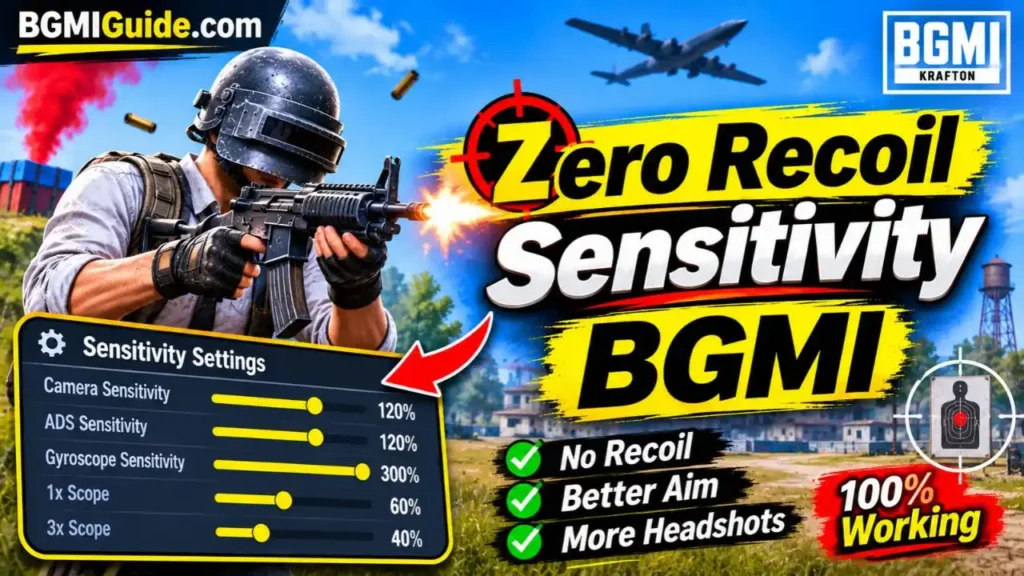
Battlegrounds Mobile India (BGMI) is a competitive battle royale game where aiming accuracy and recoil control play an important role in winning gunfights. Whether you are using an M416, AKM, M762, or another assault rifle, controlling weapon recoil can help you hit more bullets on target and improve your overall gameplay. Finding the zero recoil sensitivity BGMI settings is one of the most common searches among players who want better spray control. The right combination of Camera, ADS, and Gyroscope sensitivity can make aiming smoother and help you control the upward movement of your weapon while firing.
In this guide, we have covered the best zero recoil sensitivity BGMI code for Android and iPhone, along with separate Gyroscope and Non-Gyroscope settings. You will also find manual sensitivity tables, weapon-specific recommendations, and tips to improve recoil control.
Zero Recoil Sensitivity BGMI Codes 2026
If you want to improve your shooting accuracy without manually changing every sensitivity setting, you can try the following BGMI sensitivity codes.
| Device / Setup | Sensitivity Code |
| Main BGMI Sensitivity | 7120-0643-8249-5640-805 |
| Android Gyroscope | 1-7641-4465-0608-4437-142 |
| Android Non-Gyroscope | 1-7641-4784-5071-7394-773 |
| iPhone / iOS | 7350-5353-1699-2688-280 |
These are community-shared sensitivity profiles. Their availability is not guaranteed, so check whether a code is accepted by your current BGMI version before using it in a ranked match.
What Is Zero Recoil Sensitivity in BGMI?
Zero recoil sensitivity in BGMI refers to a combination of Camera, ADS and Gyroscope settings that makes it easier to control a weapon while shooting. When you fire an automatic weapon, its aim moves because of recoil. With properly adjusted sensitivity, you can compensate for this movement more comfortably and keep your crosshair closer to the target.
There are three important sensitivity settings:
- Camera Sensitivity: Controls camera movement when looking around or moving your aim without firing.
- ADS Sensitivity: Controls aiming movement while firing or using the scope without relying on gyro input.
- Gyroscope Sensitivity: Controls aiming movement through physical movements of your phone.
A balanced combination of these settings can help improve close-range fights, mid-range sprays and long-range shooting.
Zero Recoil Sensitivity BGMI Code for Android
Android players use different smartphones with different screen sizes, refresh rates, touch responses and performance capabilities. Therefore, the best sensitivity settings can vary from one device to another. If you play BGMI on a Redmi, Realme, Samsung, OnePlus, Vivo or another Android smartphone, you can start by trying the following sensitivity code.
Best Android Gyroscope Sensitivity Code
- 1-7641-4465-0608-4437-142
This is a community-shared Gyroscope sensitivity profile intended to help Android players improve recoil control. It can be a starting point for players who use their phone’s movement to control weapon recoil. After importing the code, test it with the M416 and Red Dot or 3x scope to check whether the sensitivity matches your playing style.
Android Non-Gyroscope Sensitivity Code
- 1-7641-4784-5071-7394-773
If you do not use Gyroscope, you can try this Non-Gyroscope sensitivity profile. Non-Gyroscope players mainly depend on finger movement to control recoil. Therefore, ADS sensitivity and comfortable screen-drag movement are particularly important.
Recommended Android Sensitivity Settings
If the shared code does not work, you can manually enter the following settings as a starting point.
Camera Sensitivity
| Scope | Sensitivity |
| TPP No Scope | 120% |
| FPP No Scope | 120% |
| Red Dot / Holographic | 50% |
| 2x Scope | 35% |
| 3x Scope | 25% |
| 4x Scope | 20% |
| 6x Scope | 12% |
| 8x Scope | 10% |
ADS Sensitivity
| Scope | Sensitivity |
| TPP No Scope | 100% |
| FPP No Scope | 100% |
| Red Dot / Holographic | 50% |
| 2x Scope | 35% |
| 3x Scope | 25% |
| 4x Scope | 20% |
| 6x Scope | 12% |
| 8x Scope | 10% |
These values provide a balanced starting point for players who want to improve finger-based recoil control.
Zero Recoil Sensitivity BGMI Code for iPhone
iPhone players can also improve their shooting accuracy by using a properly adjusted sensitivity profile. The screen response, device size and supported frame rate can influence how sensitivity feels on different iPhone models. Therefore, you should not assume that the same settings will work equally well on every iPhone.
Best Zero Recoil Sensitivity BGMI Code for iPhone
- 7350-5353-1699-2688-280
This is a community-shared iOS sensitivity code that players can try to improve their aiming and recoil control. After importing the code, visit the Training Ground and test your favourite weapons. If your crosshair moves too quickly or slowly, make small adjustments to the sensitivity values.
Recommended iPhone Sensitivity Settings
If the sensitivity code is unavailable or does not suit your device, you can manually configure the following values.
| Scope | Camera | ADS | Gyroscope |
| TPP No Scope | 120% | 100% | 300% |
| FPP No Scope | 120% | 100% | 300% |
| Red Dot / Holo | 50% | 50% | 300% |
| 2x Scope | 35% | 35% | 300% |
| 3x Scope | 25% | 25% | 240% |
| 4x Scope | 20% | 20% | 220% |
| 6x Scope | 12% | 12% | 100% |
| 8x Scope | 10% | 10% | 70% |
These are suggested starting values rather than guaranteed settings for every iPhone. Players should adjust them according to their device model, grip and comfort level.
Best Zero Recoil Gyroscope Sensitivity Settings in BGMI
Gyroscope sensitivity is important for players who prefer controlling recoil by tilting their smartphones. Instead of relying entirely on thumb movement, Gyroscope allows you to make small aiming adjustments by physically moving your device.
Here are some recommended Gyroscope sensitivity settings:
| Scope | Gyroscope Sensitivity |
| TPP No Scope | 300% |
| FPP No Scope | 300% |
| Red Dot / Holographic | 300% |
| 2x Scope | 300% |
| 3x Scope | 240% |
| 4x Scope | 220% |
| 6x Scope | 100% |
| 8x Scope | 70% |
Best Gyroscope Mode
BGMI players generally have two common Gyroscope options:
- Always On: Gyroscope remains active throughout gameplay.
- Scope On: Gyroscope activates when you open a scope.
Always On can be useful for players who want to control recoil during both hip-fire and scoped fights. Scope On can be more comfortable for beginners who are still learning gyro movements.
If you are new to Gyroscope, start with comfortable sensitivity values and gradually increase them as your control improves.
Best Non-Gyroscope Sensitivity Settings in BGMI
Not every BGMI player prefers using Gyroscope. Many players use two-finger, three-finger or four-finger layouts and control recoil through their thumbs. For these players, Camera and ADS sensitivity are especially important.
Here are the recommended Non-Gyroscope settings:
| Scope | Camera Sensitivity | ADS Sensitivity |
| TPP No Scope | 120% | 100% |
| FPP No Scope | 120% | 100% |
| Red Dot / Holographic | 50% | 50% |
| 2x Scope | 35% | 35% |
| 3x Scope | 25% | 25% |
| 4x Scope | 20% | 20% |
| 6x Scope | 12% | 12% |
| 8x Scope | 10% | 10% |
Tips for Non-Gyroscope Players
- Practise pulling your screen downward while firing automatic weapons.
- Start with Red Dot and 2x scopes before practising longer sprays.
- Avoid using extremely high sensitivity if your aim becomes unstable.
- Adjust ADS sensitivity according to your finger movement.
- Practise different weapons in Training Ground before playing ranked matches.
Best Zero Recoil Sensitivity for M416, AKM and M762
Different weapons in BGMI have different recoil patterns. Therefore, the same sensitivity may not feel equally comfortable with every assault rifle. Here are some useful recommendations for popular weapons.
1. M416 Sensitivity Settings
The M416 is a popular assault rifle because of its versatility and relatively manageable recoil.
For better M416 spray control, you can start with the following setup:
| Setting | Recommended Value |
| Red Dot Camera | 50% |
| Red Dot ADS | 50% |
| 3x Camera | 25% |
| 3x ADS | 25% |
| 4x Camera | 20% |
| 4x ADS | 20% |
| Red Dot Gyroscope | 300% |
| 3x Gyroscope | 240% |
| 4x Gyroscope | 220% |
Tips for M416:
- Use a compensator to help manage recoil.
- Practise Red Dot and 3x sprays.
- Use a vertical grip or another suitable grip according to your preferred recoil-control style.
- Practise controlled bursts at longer distances.
2. AKM Sensitivity Settings
The AKM delivers high damage but has more challenging recoil compared with the M416.
For better control, focus on comfortable ADS sensitivity and consistent downward movement.
| Setting | Recommended Approach |
| Red Dot Camera | Start around 50% |
| Red Dot ADS | Start around 50% |
| 2x Camera | Start around 35% |
| 2x ADS | Start around 35% |
| Gyroscope | Start around 300% for Red Dot |
Tips for AKM:
- Practise short bursts before attempting long sprays.
- Use a compensator where available.
- Avoid excessive long-range automatic firing.
- Focus on controlling vertical recoil through consistent movement.
3. M762 Sensitivity Settings
The M762 is another powerful assault rifle with considerable recoil. It can be effective in close- and mid-range fights when used with proper recoil control.
| Setting | Recommended Approach |
| Red Dot Camera | Start around 50% |
| Red Dot ADS | Start around 50% |
| 2x Camera | Start around 35% |
| 2x ADS | Start around 35% |
| Gyroscope | Start around 300% for Red Dot |
Tips for M762:
- Practise with the Red Dot and 2x scopes.
- Use a compensator to improve recoil management.
- Avoid changing multiple sensitivity values simultaneously.
- Practise short and controlled sprays.
These weapon recommendations are starting points. Fine-tune the values based on your own recoil patterns and control.
How to Apply Zero Recoil Sensitivity Code in BGMI?
Applying a sensitivity code is relatively simple. You do not need to change every sensitivity value manually if the shared code is accepted by the game.
Follow these steps:
- Open BGMI on your smartphone.
- Go to the Settings menu.
- Select the Sensitivity option.
- Find the Cloud Management or sensitivity code import option.
- Enter your preferred sensitivity code.
- Tap the Search option.
- Preview the available sensitivity profile.
- Select Apply to import the settings.
- Visit Training Ground and test your new sensitivity.
Once the settings are applied, you can make small adjustments according to your gameplay.
Important: Save or take a screenshot of your previous sensitivity settings before importing a new code. This will help you restore your original setup if the new profile does not suit you.
Best BGMI Sensitivity Settings for Low-End Android Phones
Players using budget Android smartphones may experience different aiming behaviour because of limited performance, lower frame rates or inconsistent touch response. Instead of copying sensitivity settings from a high-end gaming phone, start with a balanced profile and adjust it according to your device.
Consider these tips:
- Use stable graphics and frame-rate settings supported by your smartphone.
- Avoid running unnecessary background applications.
- Start with moderate ADS sensitivity.
- Do not increase every Gyroscope value to the maximum.
- Test your settings after changing graphics or performance options.
- Prefer consistent performance over graphics quality during competitive matches.
A stable frame rate can make aiming feel more predictable, although it does not directly remove weapon recoil.
Why Is Your BGMI Gun Still Recoiling After Applying a Sensitivity Code?
Sometimes players import a sensitivity code but still experience excessive weapon movement. This does not necessarily mean that the code is incorrect.
There can be several reasons behind this problem.
1. Incorrect Sensitivity for Your Device
A sensitivity profile designed for another smartphone may feel too fast or slow on your device.
2. Low or Unstable FPS
Frame drops and inconsistent performance can make aiming and tracking more difficult.
3. Incorrect ADS Settings
If your ADS sensitivity does not match your finger movement, controlling the weapon during automatic firing can become difficult.
4. Lack of Gyroscope Practice
Players using Gyroscope need time to become comfortable with physical phone movements.
5. Incorrect Attachments
Weapon attachments can influence recoil behaviour. Using appropriate attachments can make controlling automatic weapons easier.
6. Not Enough Practice
Sensitivity settings alone cannot replace aiming skills. Regular practice is necessary to develop consistent recoil control.
Tips to Improve Recoil Control in BGMI
Apart from using the right sensitivity settings, you can follow these practical tips to improve your shooting accuracy.
- Practise in Training Ground: Spend time practising different weapons and scopes.
- Choose Suitable Attachments: Use compensators and suitable grips where available.
- Adjust ADS Gradually: Change sensitivity by small increments rather than making large adjustments.
- Learn Gyroscope Control: If you use Gyroscope, practise small and controlled phone movements.
- Maintain Stable FPS: Use graphics and frame-rate options that your device can handle consistently.
- Improve Your Control Layout: Keep your fire, aim and movement buttons in comfortable positions.
- Practise Different Distances: Test your sprays at close, medium and longer ranges.
Consistency is more important than copying another player’s sensitivity settings exactly.
Conclusion
Finding the right zero recoil sensitivity BGMI settings can help improve aiming accuracy and make weapon recoil easier to control. Android and iPhone players can try the shared sensitivity codes in this guide or manually adjust their Camera, ADS and Gyroscope settings. However, there is no universal sensitivity code that guarantees zero recoil. The best results come from combining suitable sensitivity values, stable device performance, appropriate weapon attachments and regular practice. Start with the recommended settings, test them in Training Ground and make small adjustments until you find a setup that matches your playing style.
Read More: Best Sensitivity for BGMI | How to Fix Lag in BGMI
FAQs
1. What is the best zero recoil sensitivity BGMI code?
The main sensitivity code you can try is 7120-0643-8249-5640-805. You can also use separate Android and iPhone profiles mentioned in this guide.
2. What is the zero recoil sensitivity BGMI code for Android?
Android Gyroscope players can try 1-7641-4465-0608-4437-142, while Non-Gyroscope players can try 1-7641-4784-5071-7394-773.
3. What is the zero recoil sensitivity BGMI code for iPhone?
iPhone players can try the community-shared sensitivity code 7350-5353-1699-2688-280. Adjust the settings according to your iPhone model and playing style.
4. Which is better for recoil control, Gyroscope or Non-Gyroscope?
Gyroscope can make recoil adjustments easier through phone movements, while Non-Gyroscope players depend mainly on finger movement. The better option depends on your comfort and practice.
5. Does zero recoil sensitivity work for every BGMI gun?
No sensitivity setting completely removes recoil from every weapon. However, balanced Camera, ADS and Gyroscope settings can help improve control across different guns.
6. Why is my BGMI sensitivity code not working?
A sensitivity code may stop working because it has expired, been removed or is incompatible with the current game version. You can try another shared code or manually enter the recommended sensitivity values.

Aarav Sharma is a gaming writer and BGMI enthusiast contributing to BGMIGuide.com. His content focuses on Battlegrounds Mobile India (BGMI), including gameplay guides, weapon statistics, maps, character abilities, skins, updates, esports tournaments, gaming news, and tips to help players improve their gameplay.
With a strong interest in mobile gaming and competitive esports, Aarav aims to make gaming information easy to understand for both beginners and experienced players. His articles cover BGMI features, sensitivity settings, control layouts, in-game items, player IDs, tournament updates, and other topics relevant to the Indian gaming community.
As a freelance contributor associated with Outreachspot IT Solutions, Aarav contributes to digital publishing projects focused on informative, accessible, and reader-friendly content. Through BGMIGuide.com, he aims to help players stay informed about the game, explore useful resources, and keep up with developments in the BGMI community.
His editorial focus is on presenting gaming information clearly, checking relevant details against available sources, and updating guides when important game features or updates change.